Where you came from.
The parent pane keeps nearby folders visible. It gives your current location a place in the wider directory tree.
PetaFiles
YOUR TERMINAL. YOUR FILES.
A clear view of your files, right where you work.
Navigate, preview and edit without reaching for the mouse.
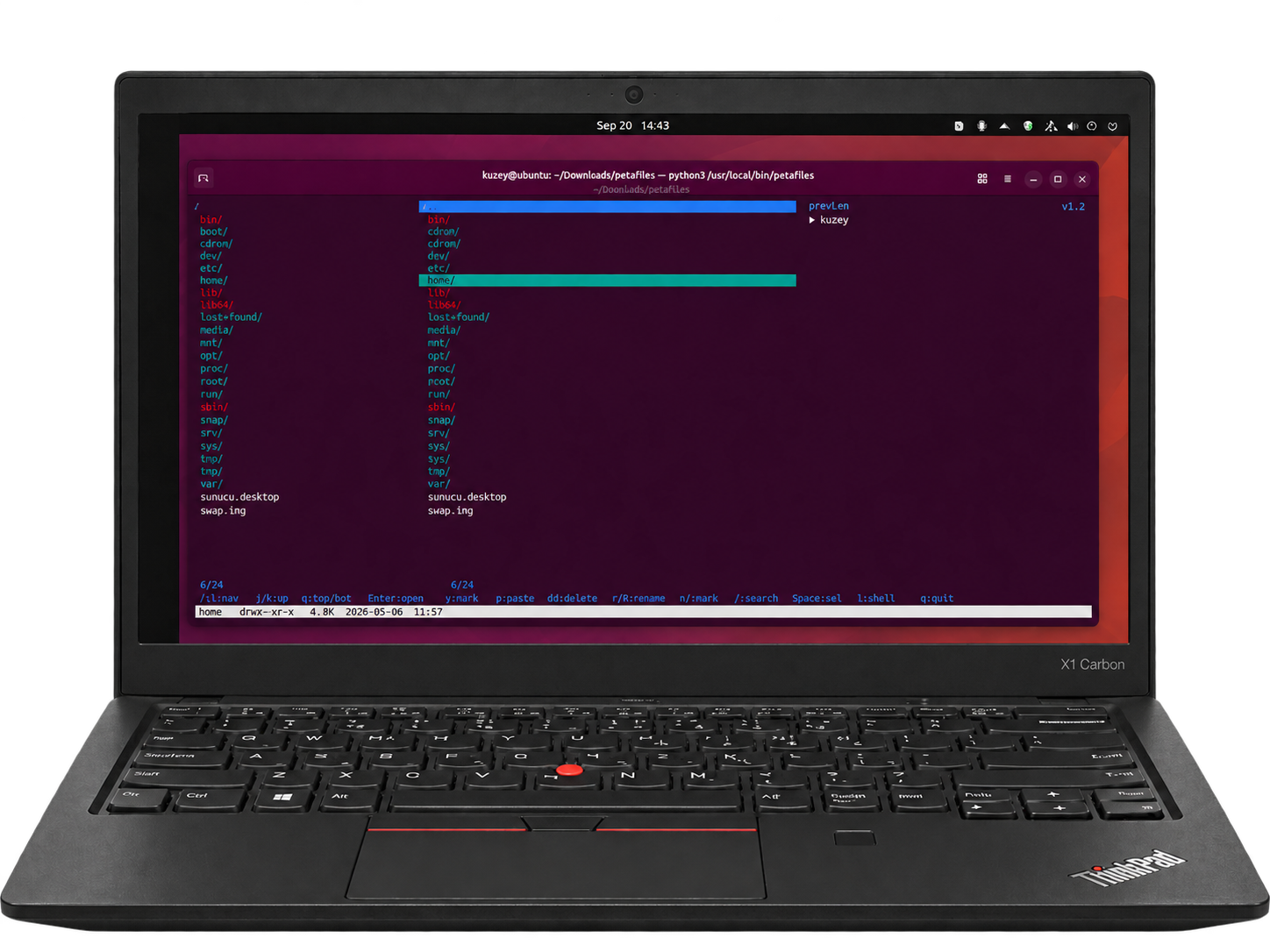
A keyboard-first workspace for everyday file management on Linux.
THE BIG PICTURE
Keep the surrounding folder, the current list and a preview in view together. Instead of repeatedly opening and closing folders to understand where you are, move through a layout that keeps the context beside your selection.
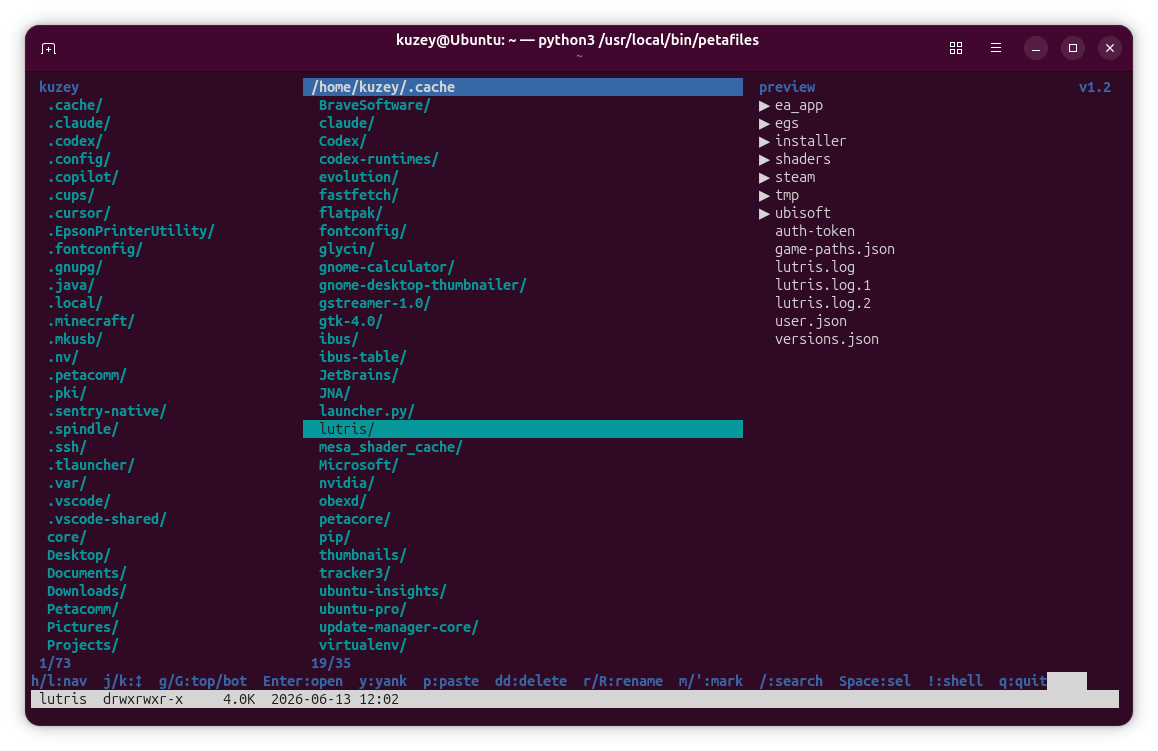
The parent pane keeps nearby folders visible. It gives your current location a place in the wider directory tree.
The middle pane is your working list. Move the highlight to a file or folder, then open, select or act on it.
The preview pane puts a closer look beside your selection, helping you decide what to open next.
EVERYDAY FILE WORK
The selection is the starting point. Work on one item or use Space to build a selection before applying an operation.
Press Space to select items, y to yank them, then navigate to your destination and press p. Keep the source and destination in mind as you move between directories.
Use r for renaming and R for bulk renaming. When several filenames need attention, the bulk workflow keeps that work together.
dd is the delete shortcut. Check the highlighted item and your selection before using it, especially when working on several files.
ONE KEY TO YOUR EDITOR
Choose Micro or Nano during installation. When a file needs a change, press e to open it in the editor you selected.
Prefer Micro for your terminal editing? Select it during setup and make it the editor you reach from PetaFiles.
Already comfortable with Nano? Choose it instead and keep working with an editor you know.
The editor opens as your editing tool; PetaFiles remains the place where you find and organise your files.
PICK UP WHERE YOU LEFT OFF
Use / when you know what you’re looking for. Search gives you another way to reach an item without stepping through the whole list.
Use m to mark a location and ' to jump to a bookmark. Keep frequently visited folders within reach.
Use the shell shortcut to bring command-line work into your file workflow. You can keep using the terminal tools you know alongside the file manager.
KEYBOARD REFERENCE
A reference for the controls shown in PetaFiles, including the edit shortcut. Uppercase and lowercase keys can have different actions.
| Key | Action | What it does |
|---|---|---|
| h / l | Navigate | Move through your directory hierarchy. |
| j / k | Move down / up | Choose an item in the current list. |
| g / G | First / last | Jump to the top or bottom of the list. |
| Enter | Open | Open the selected item. |
| Space | Select | Toggle the current item for a selection. |
| y | Yank | Copy the selected file or files. |
| p | Paste | Paste into the current directory. |
| dd | Delete | Delete the selected item or selection. |
| r / R | Rename | Access single-file or bulk renaming. |
| m / ' | Mark / jump | Mark a location and return to a bookmark. |
| / | Search | Find an item in the current directory. |
| e | Edit | Open the file in the editor selected during setup: Micro or Nano. |
| ! | Shell | Run a shell command from your file workflow. |
| q | Quit | Leave PetaFiles. |
The help strip at the bottom of the application keeps common shortcuts visible while you work.
YOUR FIRST WORKFLOW
Start PetaFiles in the directory you want to organise. Locate your item in the middle pane and use the preview for context.
Navigate with h, j, k and l. Use Space if the same operation should apply to multiple files.
Copy with y and paste with p, rename with r, or open a file in your chosen editor with e.
Press q to quit PetaFiles. Start again in the next folder whenever you need it.
GET PETAFILES
Package download and repository verification have been tested. Installation and application startup have not been tested.
Use either the direct download or the repository method. Commands run in your terminal; sudo asks for your computer password. Download commands require wget; repository setup requires curl.
wget "https://get.kotechsoft.com/pool/main/p/petafiles/petafiles_1.0-1_all.deb"wget -O "petafiles_1.0-1_all.deb" "https://get.kotechsoft.com/pool/main/p/petafiles/petafiles_1.0-1_all.deb" && sudo apt update && sudo apt install "./petafiles_1.0-1_all.deb"cd ~/Downloads && sudo apt update && sudo apt install "./petafiles_1.0-1_all.deb"The third command assumes your browser saved the file in ~/Downloads. If you chose another folder, change that path.
Add the repository once to receive future package updates through APT. This uses the repository key, which is separate from the Petacomm package-signing key.
(repo_tmp=$(mktemp -d) && trap 'rm -rf "$repo_tmp"' EXIT && curl -fsSL https://get.kotechsoft.com/kotech-archive-keyring.gpg -o "$repo_tmp/key.gpg" && curl -fsSL https://get.kotechsoft.com/kotech.sources -o "$repo_tmp/kotech.sources" && sudo install -d -m 0755 /etc/apt/keyrings && sudo install -m 0644 "$repo_tmp/key.gpg" /etc/apt/keyrings/kotech-archive-keyring.gpg && sudo install -m 0644 "$repo_tmp/kotech.sources" /etc/apt/sources.list.d/kotech.sources && sudo apt update && sudo apt install petafiles)sudo apt update && sudo apt install petafilessudo apt update && sudo apt install --only-upgrade petafilessudo apt remove petafilesGET PETAFILES
Follow the project’s installation guide for your Linux system. The guided setup includes a choice of Micro or Nano as your editor.
AFTER INSTALLATION
# Open the current directory
petafiles

# Open a specific directory
petafiles ~/projects
Check the repository for current requirements and installation options.
GOOD TO KNOW
No. Start with movement and Enter, then add the commands you use most. The help strip shows common shortcuts at the bottom of the application, and the table above is here when you need a reference.
PetaFiles opens the file in your selected editor. Choose Micro or Nano during installation to match the way you prefer to edit.
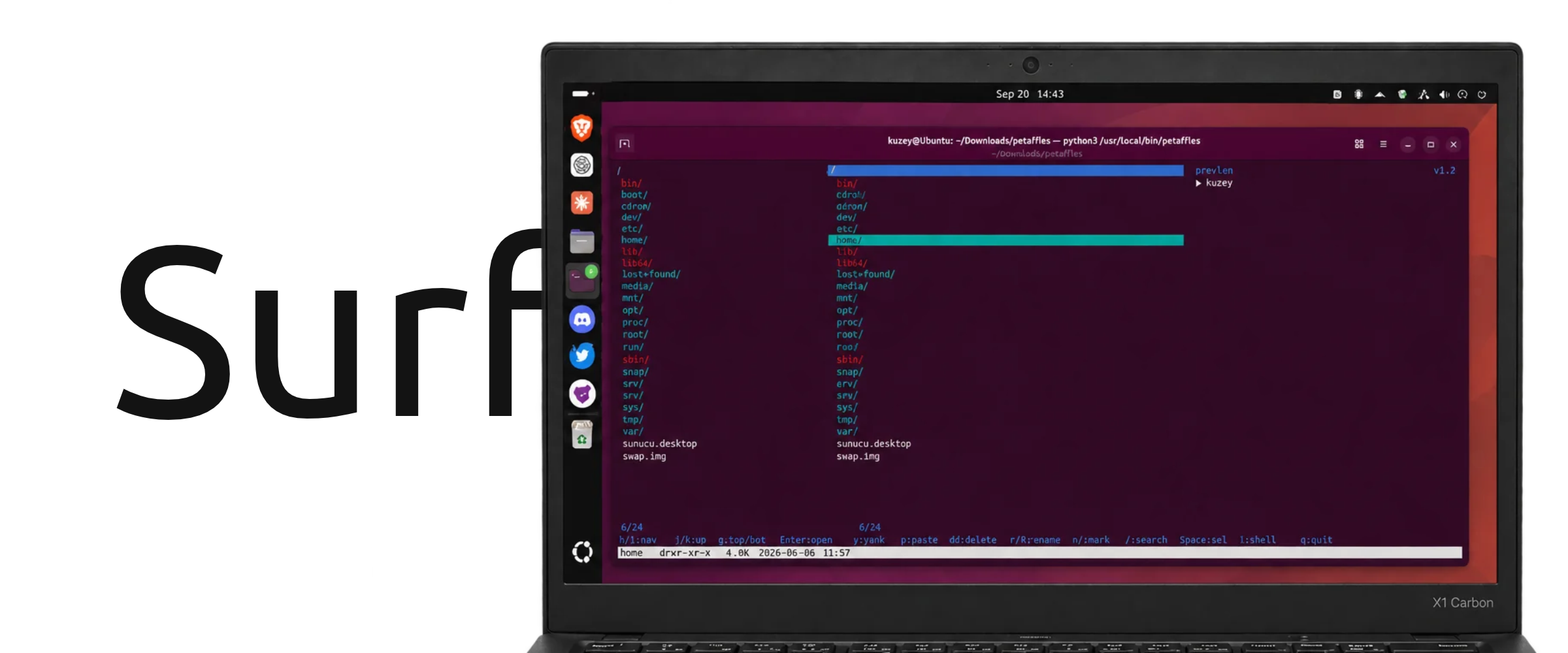
The images show PetaFiles inside an Ubuntu terminal. PetaFiles itself is a terminal file manager; the desktop shown around it is not its interface. Check the installation guide for supported environments.
Use the GitHub issue tracker. Include your version, terminal, Linux distribution and the steps that reproduce the problem. Send sensitive security reports privately to [email protected].